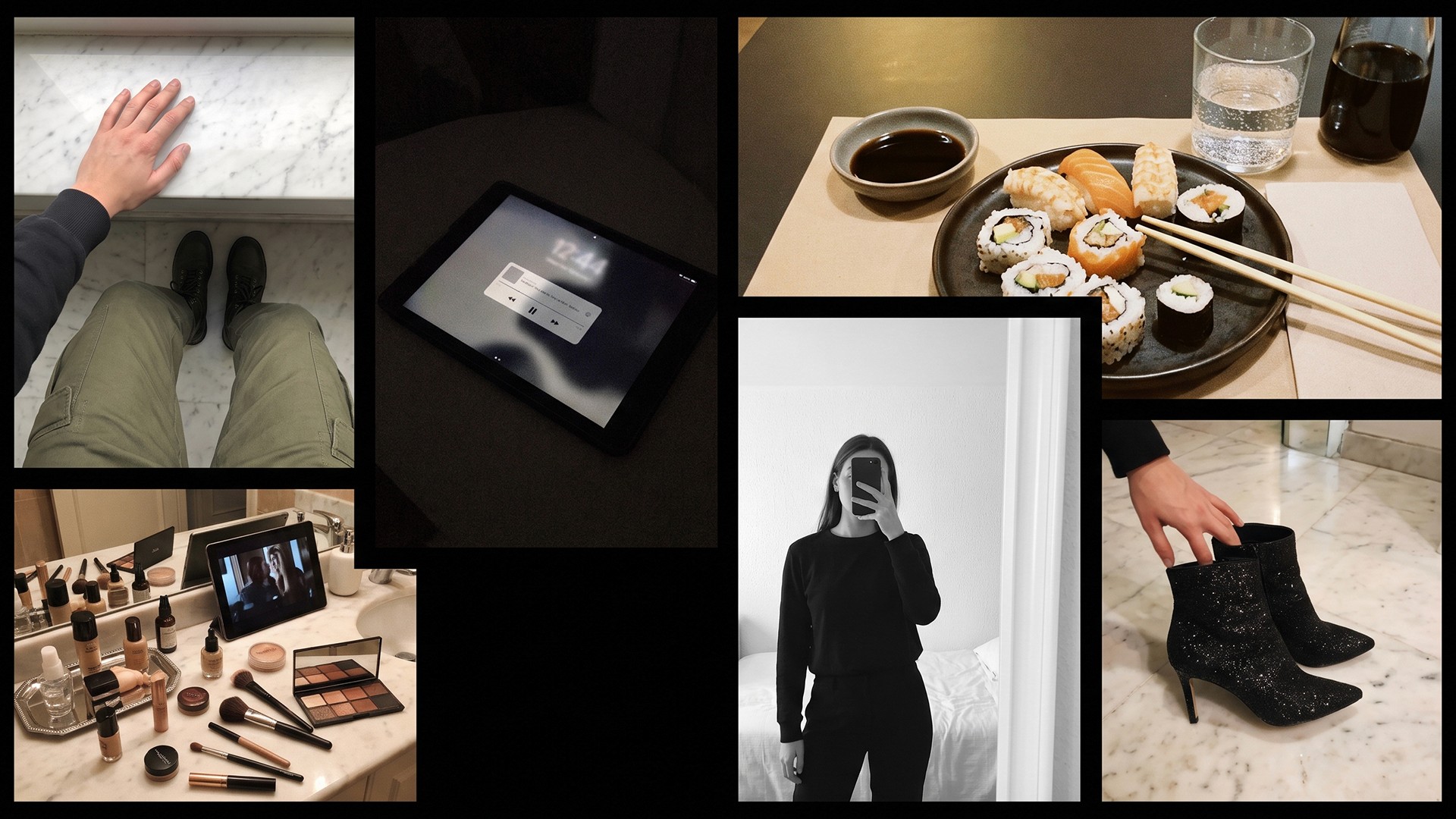
Retrica 9.2 for iOS Is Here
Meet Prism and Makeup, Two New Ways to Feel a Photo
Retrica 9.2 for iOS is now available on the App Store — and this update is all about feeling.
Two new features arrive together, each crafted to give your photos a little more soul: Prism, a film-inspired light effect, and Makeup, a natural beauty layer tuned to the Retrica aesthetic. They aren't loud, headline-grabbing features. They're quiet ones — the kind that change the way a photo feels rather than the way it looks at first glance.
Here's everything new in Retrica 9.2 for iOS.
Prism — Bring the Soul of Film to Every Shot
Film cameras have a way of imperfecting an image just enough to make it feel alive.
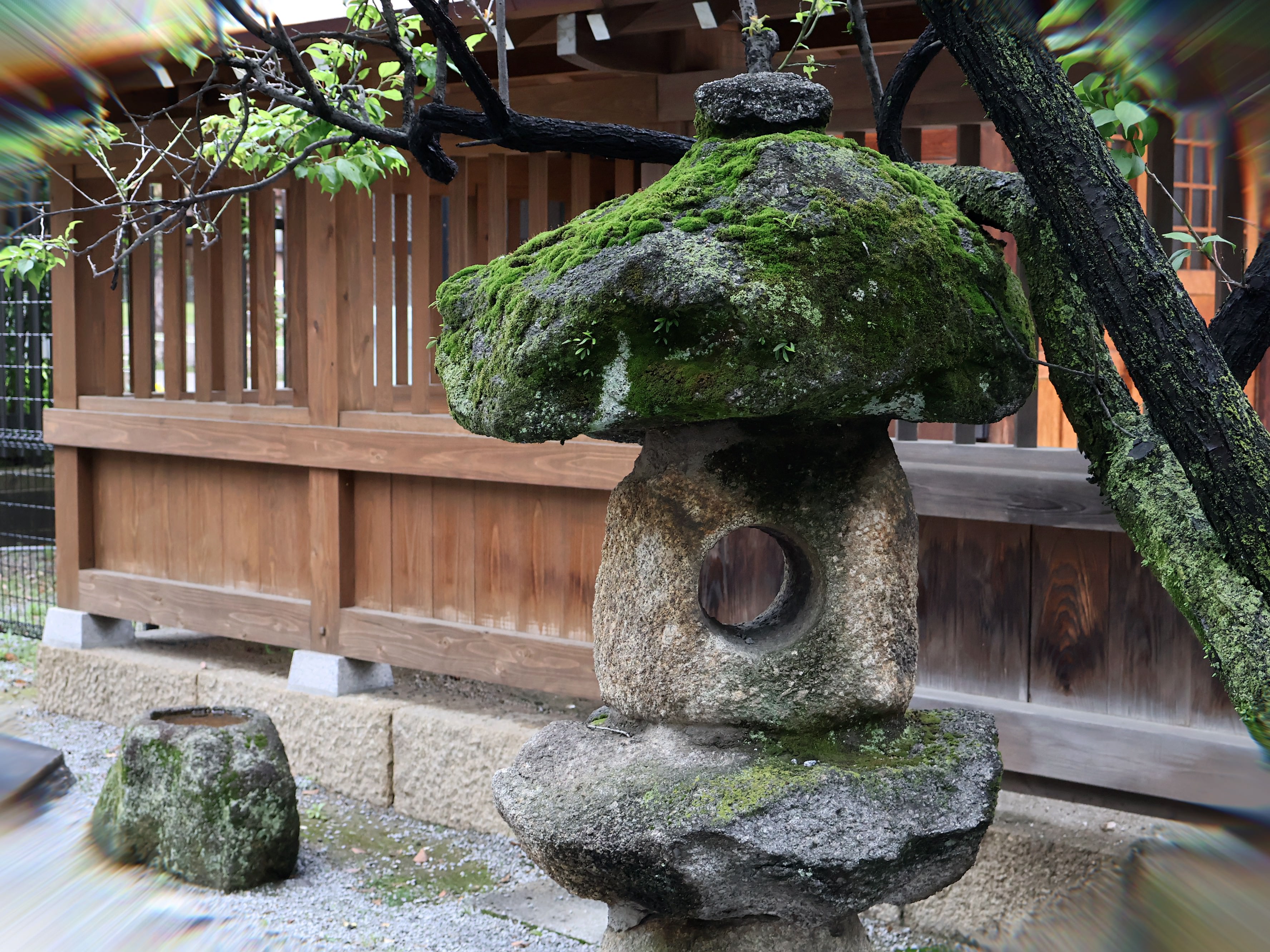
The slight color shift toward the edges of the frame, the soft halo of nostalgia, the way old lenses bloom and bend light — that's chromatic aberration, and for decades it's been one of the most beloved "flaws" in analog photography. It's the reason a film photo can feel warm and lived-in in a way digital files often don't.
Retrica 9.2's new Prism effect captures exactly that mood.
When you apply Prism to a photo, soft chromatic aberration blooms gently toward the edges of your frame. The center of your subject stays clean and crisp, while the corners glow with that unmistakable analog character — a quiet color fringing that adds depth, warmth, and a touch of dream.
Prism is designed for:
Lovers of film photography who want the look without the lab
Creators chasing a nostalgic, analog-inspired aesthetic
Anyone who wants to add a layer of feeling to a clean digital shot
It pairs beautifully with Retrica's other vintage-leaning presets, including the existing Halation filter, and works on both fresh shots and photos imported from your library. Use it lightly for a subtle film tint, or push the intensity for a fully analog-inspired look.
Designer's note: Prism isn't a one-size-fits-all preset — it's an adjustable effect. Try dialing it in for each shot to match the mood you want.
Makeup — Natural, Defined, Unmistakably Retrica
Beauty features in camera apps usually fall into one of two camps: too subtle to make a difference, or so heavy you stop looking like you.
With Retrica 9.2, we're introducing Makeup — a beauty feature designed to live right in the middle.
Retrica Makeup applies a natural, polished look that enhances your features without erasing them. Skin still feels like skin. Your eyes still feel like your eyes. The result is the kind of "your face on a really good day" energy that selfies are supposed to capture, but rarely do.
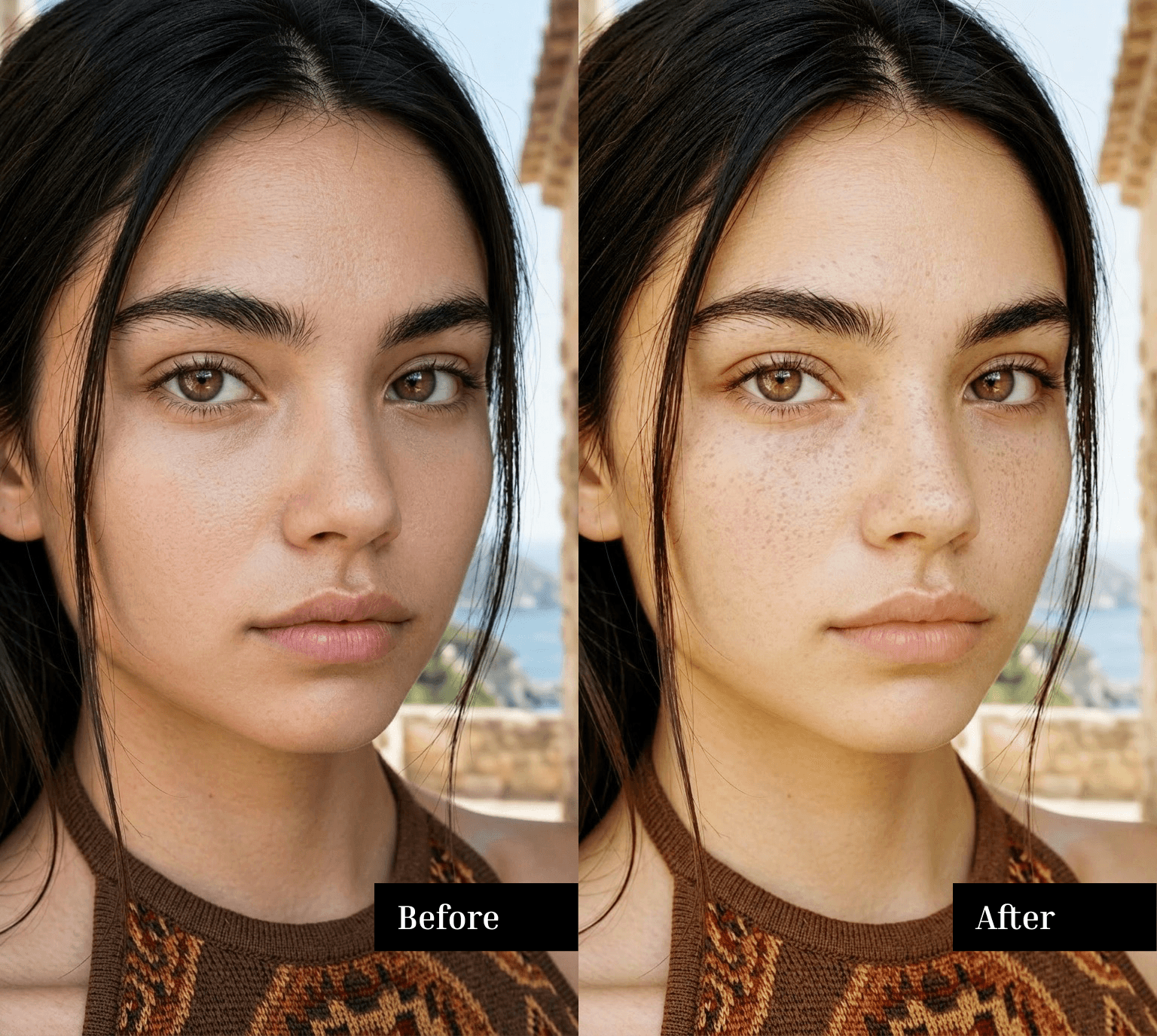
What makes Makeup different is the care behind it. Like every Retrica filter, it was tuned by hand to match the Retrica aesthetic — soft, warm, and quietly confident. It doesn't feel like makeup applied to a photo. It feels like makeup that belongs on you.
Use Makeup when you want:
A polished selfie without the plastic, over-smoothed look of heavy beauty filters
A consistent, Retrica-style finish across all your portraits
Something that feels like real makeup, not a mask
Whether you're shooting a quick mirror selfie or a thoughtful portrait, Makeup keeps things looking natural while giving you that little extra glow.
How to Update Retrica on iOS
Retrica 9.2 is rolling out now on the App Store. To update:
Open the App Store on your iPhone
Tap your profile icon in the top right
Find Retrica under available updates
Tap Update
If you have automatic updates turned on, version 9.2 will install on its own. Once installed, open Retrica, head to the filters, and try Prism on your next photo — then turn on Makeup the next time you flip to the front camera.
What's Next
Retrica is a camera built for feeling, and 9.2 is a love letter to two things our community has been asking for: that warm, film-inspired aesthetic, and beauty tools that actually look beautiful. We hope these new features find their way into your daily creative habit.
If you have ideas for what should come next — a filter, a tool, a tiny detail you'd love to see — we'd love to hear from you. Every Retrica update is shaped by the people who use the app every day.
Update to Retrica 9.2 and make it yours. 📸
Frequently Asked Questions
Q: What's new in Retrica 9.2 for iOS?
A: Retrica 9.2 introduces two new features: Prism, a film-inspired chromatic aberration effect that adds nostalgic color fringing toward the edges of your photos, and Makeup, a natural-but-defined beauty feature for selfies and portraits.
Q: What is Prism in Retrica?
A: Prism is a chromatic aberration effect that mimics the soft color fringing and edge halo of old film cameras. When applied, gentle color shifts appear toward the edges of your photo, creating a dreamy, analog-inspired look that pairs well with vintage and warm-tone presets.
Q: What is chromatic aberration, and why does Retrica recreate it?
A: Chromatic aberration is an optical effect found in older lenses, where colors split slightly at the edges of the frame. In digital photography it's usually treated as a flaw, but in film photography it's part of the charm. Retrica's Prism effect recreates this look intentionally, giving digital photos a more analog, emotional quality.
Q: What is Retrica Makeup?
A: Retrica Makeup is a beauty feature that applies a natural, polished finish to selfies and portraits. It's designed to enhance your features without changing how you fundamentally look — soft, warm, and tuned to match the Retrica aesthetic that defines the rest of the app.
Q: Will Makeup make me look unnatural or over-edited?
A: No. Makeup was designed specifically not to feel exaggerated. The effect is subtle and tuned to enhance rather than replace your features, so you still look like you — just with a little extra polish.
Q: Does Prism work on existing photos in my library?
A: Yes. You can apply Prism to both new photos shot inside Retrica and existing photos imported from your camera roll.
Q: Is Retrica 9.2 available on Android?
A: Retrica 9.2 is currently rolling out for iOS via the App Store. The Android version of Retrica is updated separately — check the Google Play Store for the latest Retrica Android release.
Q: How do I update Retrica to version 9.2?
A: Open the App Store on your iPhone, tap your profile icon, find Retrica in the list of available updates, and tap Update. If automatic updates are enabled, version 9.2 will install on its own.
Related reading: Retrica Android 9.0 Update — Live Preset Browsing and Discover Tab · Inside Retrica's Halation Filter · How to Get a Film Look on iPhone