
HSL
HSL lets you independently adjust the hue, saturation, and luminance of individual colors in your photo. It gives you precise control over how each specific color looks, making it ideal for targeted color grading without affecting the rest of the image.
Color Control at the Source
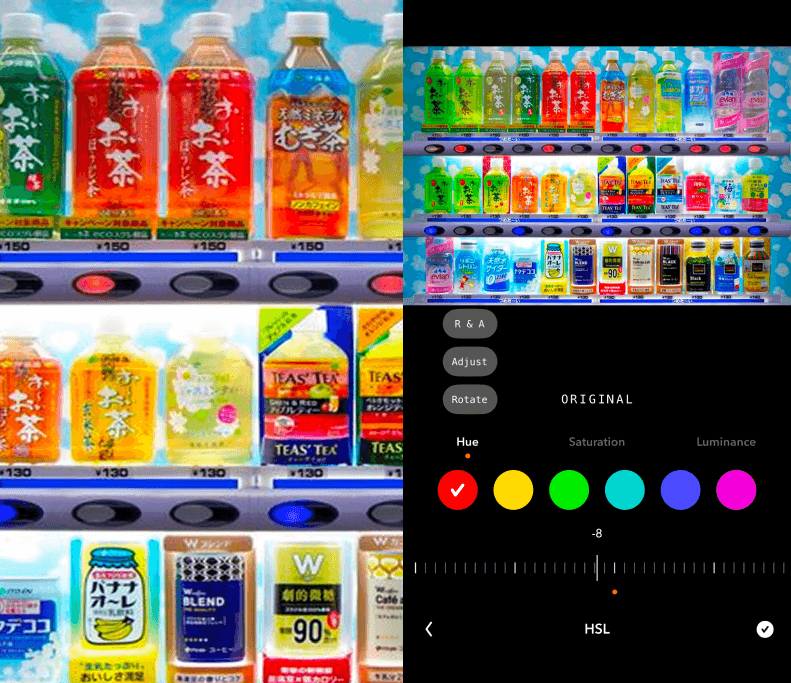
HSL — which stands for Hue, Saturation, and Luminance — is the most precise and surgically specific color adjustment tool available in photo editing, giving you independent control over individual color ranges within your image rather than affecting all colors simultaneously the way global saturation or white balance adjustments do. Instead of a single slider that moves everything at once, HSL provides a separate set of three controls for each of the primary and secondary color ranges typically found in a photograph: reds, oranges, yellows, greens, aquas, blues, purples, and magentas. This means you can make changes to one specific color in your image — darkening the blue of a sky, shifting a yellow flower toward orange, desaturating a distracting green in the background — without those changes affecting any other color in the frame. For photographers and editors who want genuine, precise control over the color palette of their images, HSL is not just a useful tool — it's an essential one.
Three Levers, Infinite Possibilities
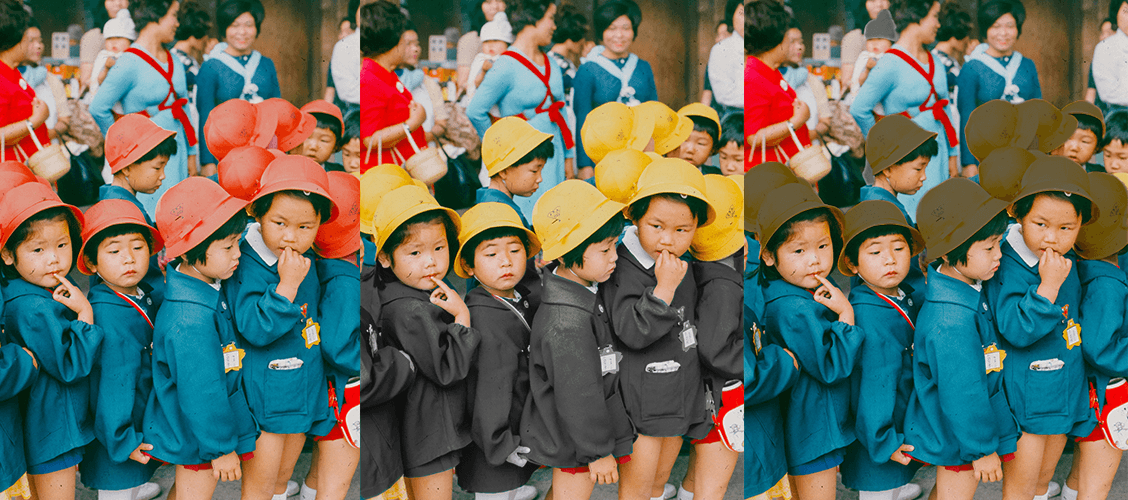
Each color channel within HSL offers three distinct and independent adjustments that together give you complete three-dimensional control over how that specific color looks within the image. The Hue slider shifts the actual color identity — moving it along the color wheel toward adjacent colors, so a yellow can be pushed toward green or orange, a blue toward purple or cyan, a red toward orange or magenta. This makes hue adjustment one of the most powerful creative tools for color grading, allowing you to transform the entire color story of an image by selectively redirecting specific colors toward more desirable or more emotionally appropriate alternatives. The Saturation slider controls how vivid or muted that specific color appears in the image independently of all other colors — you can make the sky intensely blue while leaving the greens in the trees completely unchanged, or desaturate a red that's competing too aggressively for attention without touching the warm tones in the skin. The Luminance slider adjusts how bright or dark that specific color appears within the overall tonal structure of the image — darkening blues to deepen a sky, brightening yellows to make sunlight feel warmer and more golden, or lightening greens to give a landscape a fresher, more vital quality.
The Tool That Separates Good Edits From Great Ones
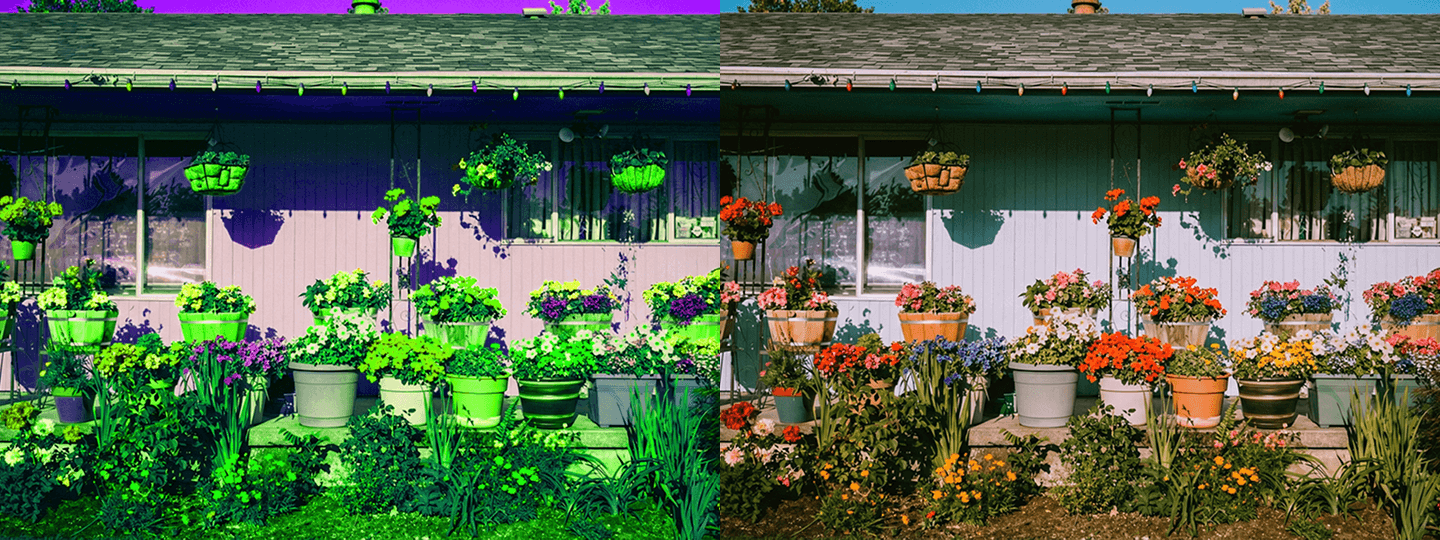
HSL is where color grading moves from broad, global adjustments to the kind of fine, targeted craft that defines the difference between a competently edited photo and one that feels truly considered and intentional. It's the tool that allows you to make a sky more intensely blue without desaturating the green in the trees below it, to warm up the skin tones in a portrait without shifting the cool background tones that provide the complementary contrast, to remove a distracting and competitively saturated color from the background without affecting the colors of the subject in the foreground, or to shift the entire color story of an image from one emotional register to another by selectively redirecting just a few of its key hues. Mastering HSL takes considerably more time and practice than most other editing tools, because its effects are subtle, cumulative, and highly dependent on the specific color content of each individual image. But the level of creative control and color precision it provides is unmatched by any other single adjustment, and for photographers who edit with intention and care, it's the tool that most reliably produces results that feel both technically precise and genuinely expressive.


